> For the complete documentation index, see [llms.txt](https://docs.vames-store.com/llms.txt). Markdown versions of documentation pages are available by appending `.md` to page URLs; this page is available as [Markdown](https://docs.vames-store.com/assets/vms_garagesv2/compatibility/other/vehicledeformation.md).
# VehicleDeformation
{% hint style="danger" %}
**If you're using VMS Tuning**, you don't need to make the following changes - [use our prepared Vehicle Properties](/assets/vms_tuning/installation.md).
{% endhint %}
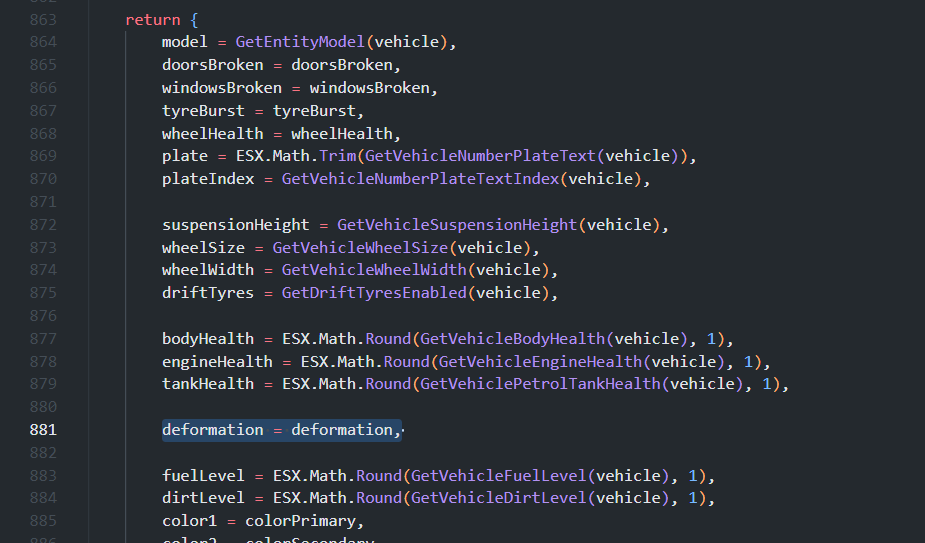
Enter the appropriate vehicle deformation saving in your Vehicle Properties inside the framework:
esx path
`es_extended/client/functions.lua` - `ESX.Game.SetVehicleProperties`
qb-core path
`qb-core/client/functions.lua` - `QBCore.Functions.SetVehicleProperties`
qbx_core path
`qbx_core/bridge/qb/client/functions.lua` - `functions.GetVehicleProperties`
`ox_lib/resource/vehicleProperties/client.lua` - `lib.getVehicleProperties`
```lua
local deformation = nil
if GetResourceState('VehicleDeformation') == 'started' then
deformation = exports['VehicleDeformation']:GetVehicleDeformation(vehicle)
end
```
```lua
deformation = deformation,
```